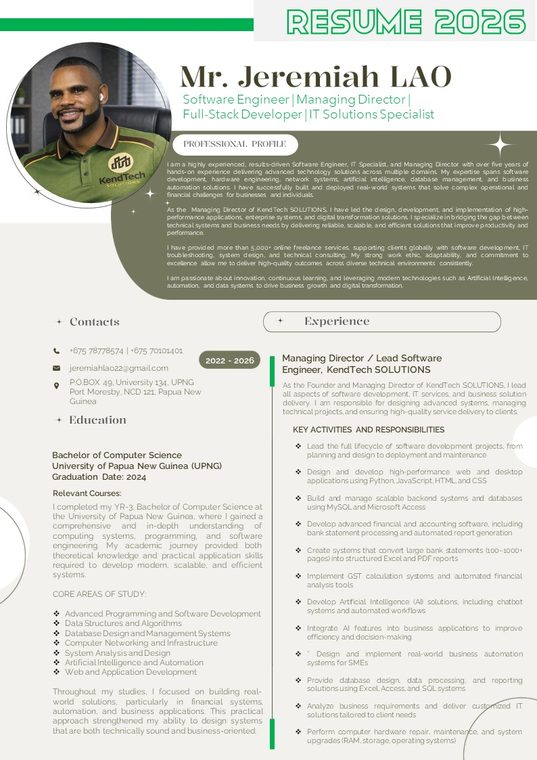
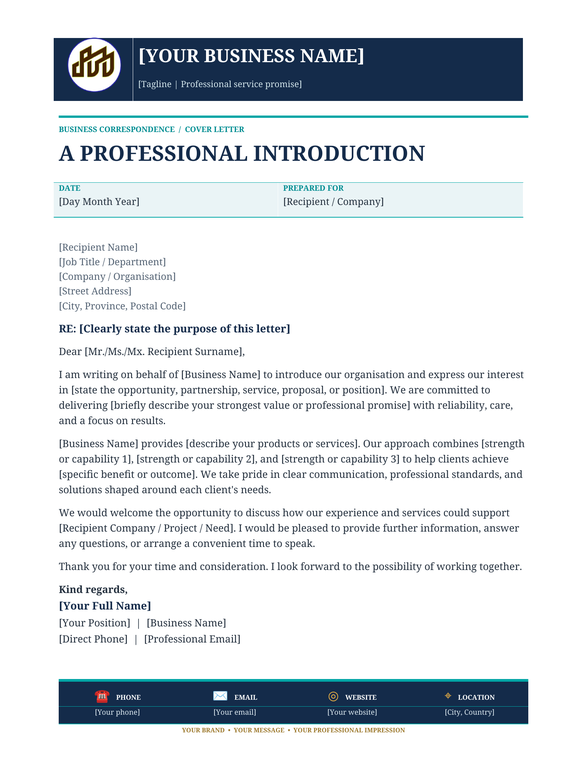
Create a strong professional impression with this modern 2026 Professional Cover Letter and Resume Template. Designed with a clean, structured and professional layout, this editable template helps job seekers present their qualifications, education, employment history, technical abilities, achievements and professional experience confidently. Suitable for graduates, experienced professionals, job applicants and individuals pursuing career opportunities in Papua New Guinea.
About this product
PROFESSIONAL COVER LETTER & RESUME TEMPLATE – 2026 EDITION
Designed and supplied by KendTech SOLUTIONS
Take your job applications to the next level with this professionally structured Cover Letter and Resume Template. This template provides an organised and modern presentation of your personal information, professional background, qualifications, employment experience and career achievements.
Whether you are applying for government positions, private-sector employment, corporate opportunities, technical positions or management roles, this template gives you a professional foundation to prepare your application.
WHAT IS INCLUDED?
1. Professional Cover Letter
- Professional cover letter layout.
- Applicant and employer information sections.
- Application subject and position details.
- Structured introduction and professional paragraphs.
- Closing statement and signature section.
2. Professional Resume Layout
- Personal information and contact details.
- Professional profile and career summary.
- Career objectives.
- Educational background and qualifications.
- Employment history and professional experience.
- Key responsibilities and activities.
- Professional achievements and career highlights.
- Technical and computer skills.
- Programming languages and software competencies.
- Hardware and IT support capabilities.
- Professional development and certifications.
- Personal attributes and strengths.
- Languages and personal interests.
- Professional referees and references.
- Declaration and signature section.
WHO SHOULD USE THIS TEMPLATE?
This template is suitable for:
- University and college graduates.
- School leavers entering the workforce.
- Experienced professionals.
- Government job applicants.
- Private-sector employees.
- IT and engineering professionals.
- Administrative and office workers.
- Business and management professionals.
- Individuals seeking career advancement.
KEY BENEFITS
- Professional and modern presentation.
- Organised sections for easy information entry.
- Editable content to suit different professions.
- Structured career and employment history.
- Suitable for different job application requirements.
- Helps present qualifications and experience clearly.
- Reusable for future job applications.
PRODUCT FORMAT
- Original editable Microsoft PowerPoint (.PPTX) file.
- Digital document template.
- Customisable text and personal information.
- Can be exported to PDF after editing.
- Digital delivery after successful payment.
IMPORTANT INFORMATION
This is a digital template, not a completed job application or employment service. The sample personal information, employment details and references must be replaced with your own accurate information before submission.
Microsoft PowerPoint or compatible presentation software is recommended for editing.
AVAILABILITY AND PAYMENT
This digital product is available exclusively to customers in Papua New Guinea (PNG). Payments are accepted in Papua New Guinea Kina (PGK) only.
No physical product will be delivered.